
WhatsApp Flows are structured, interactive screens inside a WhatsApp conversation. They help a customer complete a specific task, such as sharing purchase preferences or requesting a booking, without typing every answer as a separate chat message.
Start with one customer outcome
Write the outcome before choosing components: a qualified enquiry, a booking request or a feedback response. A request is not a confirmed booking until the receiving system accepts it. Make that distinction visible in both the final screen and the agent's follow-up.
List the information the next person actually needs. For a demo enquiry, business name, requirement and preferred contact time may be enough. Do not ask for identity documents or payment credentials simply because an input field is available.
- Name the task in plain language.
- Identify who owns the completed response.
- Define the confirmation and failure paths.
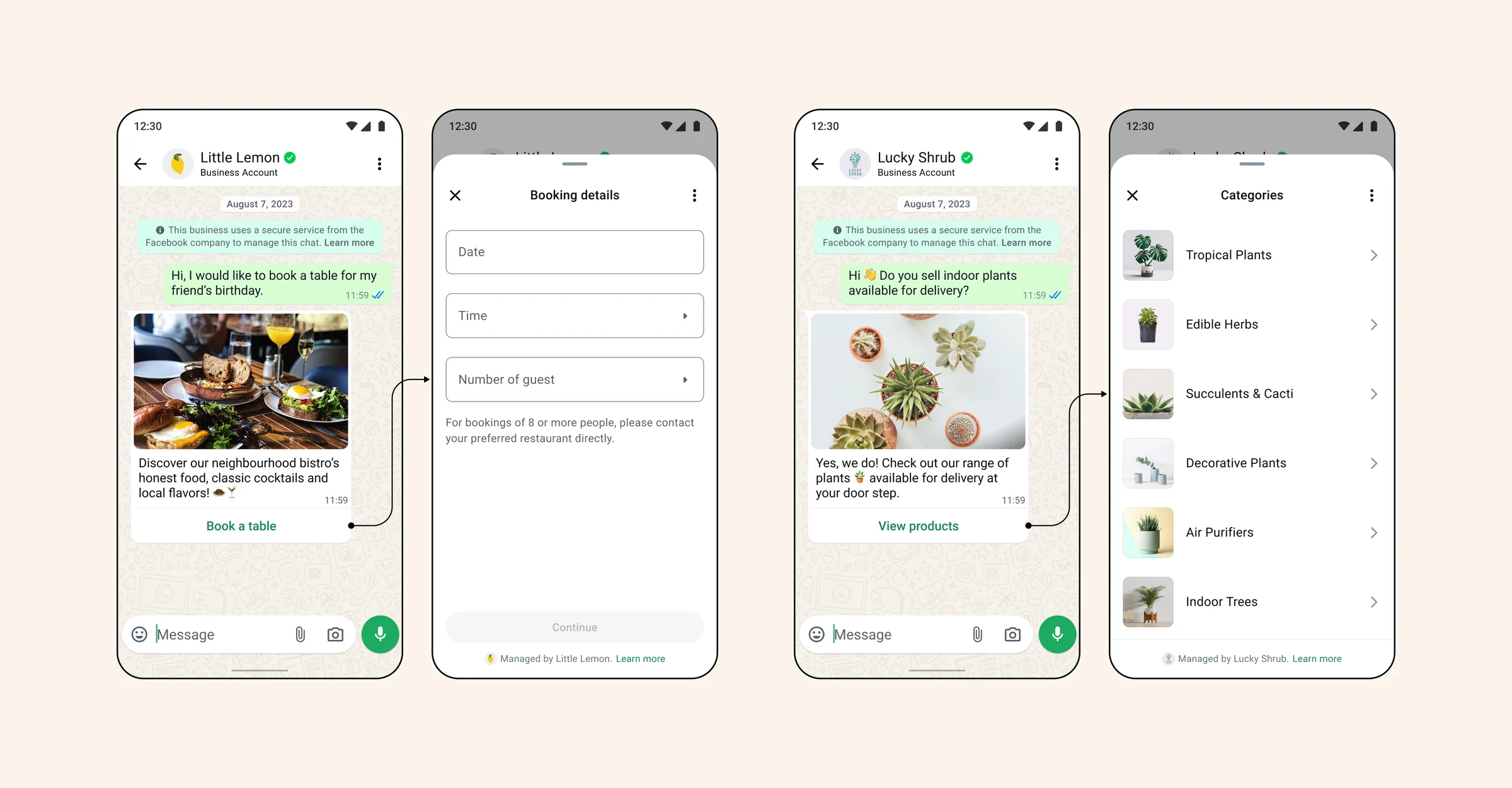
Explain what the button opens
The message before the Flow should explain why the customer would open it. A booking button should lead to a booking task, not an unexpected promotion. Let the button label describe the immediate action.
Use the supplied example as a design reference rather than a promise that every illustrated screen is available in your current form builder. Platform component support and account eligibility still need checking.
Keep screens in a useful sequence
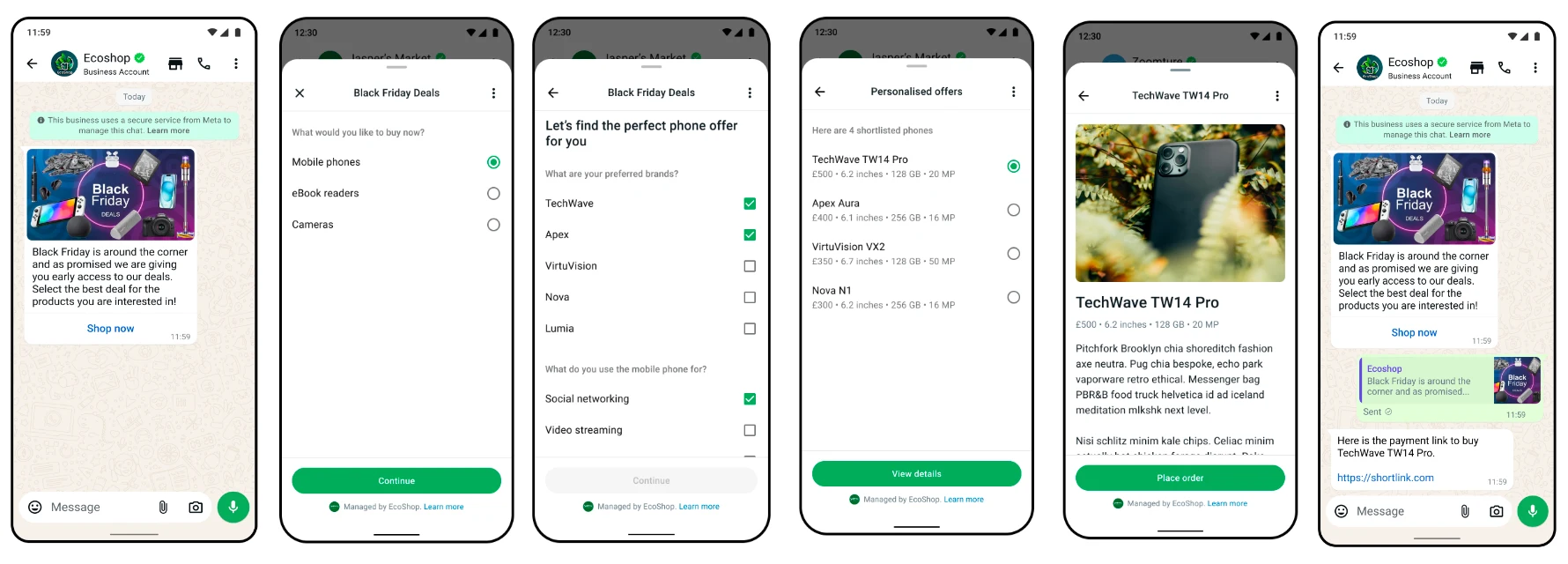
Group related questions together. Let the customer choose a category before asking category-specific questions. Show enough context that they can understand what happens next, and keep a route back to correct a choice.
The shopping illustration separates product interest, preferences and a shortlist. It is an example of progressive disclosure, not evidence of a live store integration or a completed payment.
Test the journey, not only the JSON
Preview each branch, an incomplete answer and a connection failure. Validation checks the form definition; it does not prove account eligibility, publication, successful delivery or that a response reached your CRM.
Before launch, send a controlled test through the actual approved entry message, complete it on a phone and check the resulting record. Give agents a clear next action and explain how customers can ask for help.
- Check preview, validation and publish status separately.
- Verify the completed response in the receiving workspace.
- Keep a human-support route available.
Frequently asked questions
Is a WhatsApp Flow the same as a chatbot?
No. A Flow is a structured form-like experience inside a chat. A chatbot can guide the conversation and may open a Flow, but the two have different jobs.
Does a successful preview mean the Flow is published?
No. Preview, definition validation, account checks and publication are separate steps. Confirm the actual provider status before sending it to customers.
Do the examples show live Vayreach customers?
No. They are supplied instructional illustrations. They do not establish a customer relationship, endorsement or availability of every illustrated component.
Sources and scope
Prepared with AI assistance using the product implementation, linked references and supplied illustrations. Interface details and platform requirements can change. Examples are not customer case studies or proof of availability in every workspace. Confirm the current interface and account permissions before making production changes.